Quickstart
There are two ways to drive framejs with AI. Pick the one that matches where you already work — you don't need both.
| Claude apps | Coding agent | |
|---|---|---|
| Where | Claude Desktop, claude.ai, mobile | Claude Code, Cursor, Gemini CLI, … |
| Setup | Paste one URL, once | One-line install |
| Terminal | Not needed | Required |
| Local files | No — paste data or a URL | Yes |
| Account | Free framejs account | Not required |
A. Claude Desktop / web / mobile
No install, no terminal. framejs runs a hosted MCP connector, so Claude can create and edit your frames right in the conversation.
- In Claude, open Settings → Connectors → Add custom connector
- Paste the URL:
https://framejs.app/mcp- Click Connect, sign in to framejs (free account), and Allow.
- Ask for anything:
create an interactive 3D globe that highlights countries on hover with population and fertilityClaude writes the JavaScript, saves it, and replies with a https://framejs.app/j/<id> link. Editing it later appends a version — the link never changes.
Also works in Claude Code
Same connector, one command: claude mcp add --transport http framejs https://framejs.app/mcp, then /mcp to sign in.
B. Coding agents with a shell
Install the Agent Skill — works across ~40 harnesses (Claude Code, Cursor, Gemini CLI, opencode, Codex, …). The agent can read your local files, so you can point it at data on disk.
- Install:
curl -fsSL https://framejs.io/skill/install.sh | sh- Prompt your agent:
> create an interactive 3D globe visualization that highlights countries on hover with population and fertility, when none are selected use the global valuesTip:
You can reference local files, and combine with other skills
- Result automatically opens in the browser
- Edit an existing URL in AI chat:
Note:
This only works in the framejs.app site, not the framejs.io renderer, as it needs a persistent URL to post updates
framejs.app/j/<uuid> -> Menu (right) -> Copy URL for AI Session
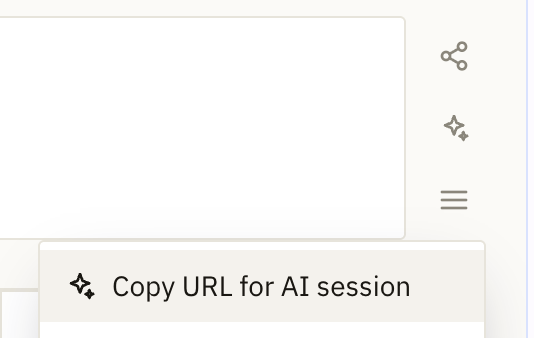
Paste into an AI chat session, and tell the AI the changes you want:
> https://framejs.app/j/xxx?token=yyy
render an interactive 3d surface plot visualization
No AI at all
Open the editor, write JavaScript, and the URL updates as you type. See the JavaScript API.